
GradeSight turns your gradebook into a visual dashboard. At-risk and high-performing grades stand out. Stats and reports are one click away.
GradeSight is a Razor Sparrow LLC service for teachers, schools, and districts. It makes the online gradebook easier to scan for students who need help.
Works immediately. No setup required.
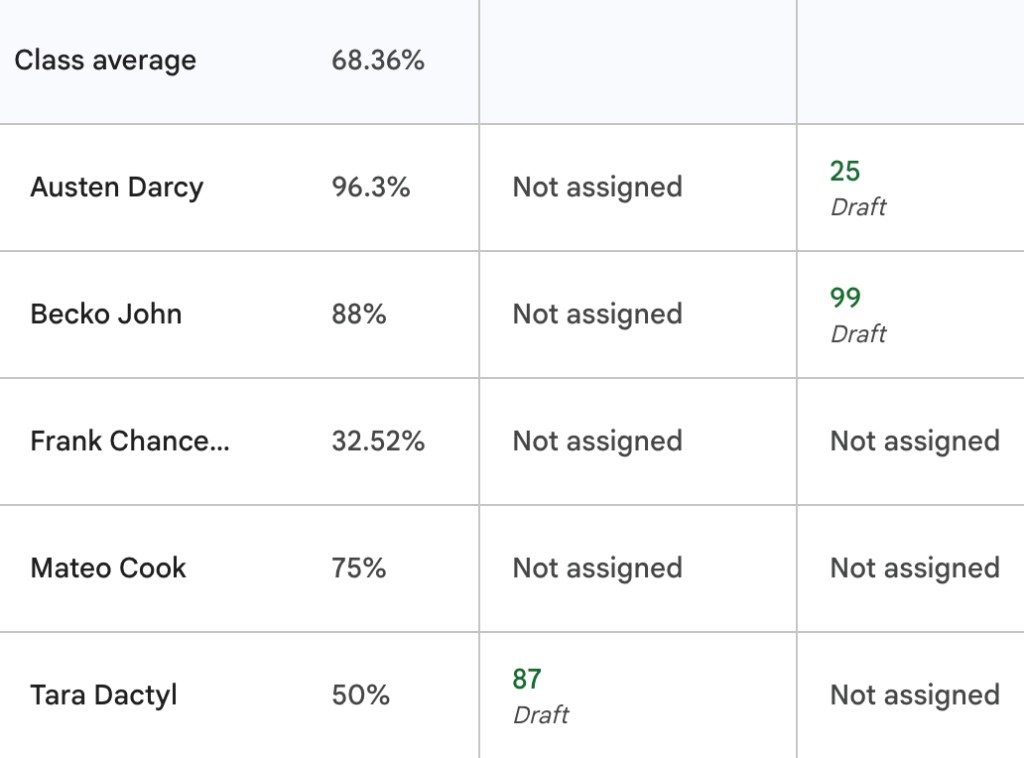
GradeSight color-codes every grade the moment your gradebook loads, so at-risk and high-performing students stand out at a glance.
GradeSight adds averages, modes, and ranges above each assignment in real time—no spreadsheets or manual number-crunching.
Generate underperformance reports showing which assignments each student struggled with compared to class averages. Printable and ready for parents.
Layers over your gradebook where you already work. No student information sent to our servers.

GradeSight is built with privacy at its core. We believe student data should never leave your device.
Launch GradeSight in your existing gradebook workflow. No new platform and no heavy setup.
Add GradeSight Now →GradeSight, like all other Razor Sparrow Workflow Suite solutions, layers on top of your existing gradebook to provide additional functionality instantly.
Adjust GradeSight to look, feel, and behave as its most useful for your classroom environment!
Spot at-risk students at a glance and see which assignments are dragging grades down—right inside the gradebook you already use.
Review class-level trends, identify where intervention is needed, and coach teams with clearer data signals.
Use report-ready insights to prepare parent conversations, conferences, and action plans more efficiently.
Bring summaries and highlights into PLCs and planning meetings so decisions happen faster with less friction.
GradeSight is a free Chrome browser extension that turns your online gradebook into a visual dashboard. Install the extension, open your gradebook (like Google Classroom or Aspen), and GradeSight instantly highlights at-risk and high-performing students, adds statistics to every assignment, and builds conference-ready reports—so you can see who needs help without scanning rows of numbers.
Yes! GradeSight offers a free version with all the core features—at-risk highlighting, per-assignment statistics, and basic reports. There are no hidden fees and no credit card required. We believe every educator should be able to see their gradebook clearly. We also offer GradeSight Pro with advanced analytics and reporting for educators who need more.
GradeSight is designed with FERPA (Family Educational Rights and Privacy Act) and other student-privacy regulations in mind: it reads your gradebook locally in your browser and never sends student information to our servers. That said, GradeSight assists with privacy—educators should still follow their school's policies and applicable laws when handling student information.
All GradeSight processing happens locally in your browser. Your gradebook data never leaves your device. We don't collect, store, or transmit any student information. Your preferences are stored locally using Chrome's storage API and synced across your devices only if you're signed into Chrome.
GradeSight works with popular online gradebooks and student information systems you open in Chrome, including Google Classroom and Aspen. Open your gradebook and GradeSight overlays its highlighting, statistics, and reports automatically—no exports or copy-pasting required.
GradeSight compares each grade against the class average and configurable thresholds, then color-codes them—at-risk grades in one color and high performers in another. You can adjust the thresholds to match your grading scale and what "at-risk" means for your classroom.
No, GradeSight is designed to be lightweight and performant. Most users don't notice any difference in browsing speed, even on large gradebooks with many students and assignments.
Yes! You can disable GradeSight on any page by clicking the extension icon and toggling it off. In the free version you'll refresh the page to return to the plain gradebook view; Pro users can toggle GradeSight on and off instantly without refreshing.
GradeSight is developed by Razor Sparrow LLC. Learn more at razorsparrow.com.
Visit support.gradesight.io for help, or email us at support@gradesight.io.